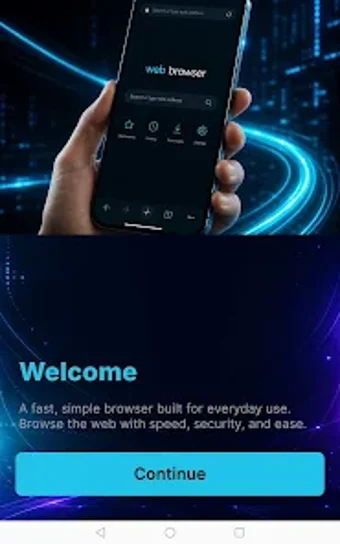
Unicorn Browser: Private Web, a light private browser for Android
Unicorn Browser: Private Web is a privacy-focused Android browser from Office Magnifier Labs - Trusted Android Software, designed to keep browsing sessions anonymous and uncluttered. The app provides a persistent Incognito Mode and an integrated adblocker to limit trackers and intrusive ads, while offering essential privacy controls. The built-in download manager and private tab handling simplify file saves and multiple confidential sessions, plus dark mode for low-light use.
What additional tools help manage downloads and private sessions?
The browser includes a Smart Download Manager that saves and organizes files from supported websites, and a Private Tab system for running parallel confidential sessions. Smart Download Manager groups downloads and keeps them inside the app for quick access. Users can toggle dark browsing for low-light reading. These utilities aim to reduce handoffs to other apps when handling downloads or sensitive browsing tasks.
Does it impose a heavy resource load on Android devices?
The app is built with a lightweight and responsive architecture optimized for Android performance, which results in a small application footprint and quicker startup than many mainstream browsers. That design choice makes it suitable for older or lower-end devices, keeping foreground browsing responsive. Background activity is limited by default to avoid persistent processes that could consume CPU or battery when idle.
Can it protect browsing on public Wi-Fi?
The browser implements secure browsing protocols intended to reduce exposure on open networks, helping protect transmitted data when users connect to public Wi-Fi. These transport protections complement the privacy-oriented session handling the app offers. While the browser reduces common tracking surfaces, materials do not claim anonymization networks or built-in VPN capabilities, so network-level anonymity remains outside its documented feature set.
Is it approachable for non-technical users?
Yes; user reception notes the app's ease of use, and the developer's portfolio targets utility and productivity tools that minimize configuration. The minimalist interface emphasizes content and straightforward navigation rather than granular settings. That reduces the learning curve for users who want privacy without setup complexity, but it also suggests advanced users seeking extensive customization may need a more configurable browser.
Practical choice for privacy-focused, low-maintenance browsing
Based on the developer's utility-focused portfolio and reported positive reception, this app suits users who want a private, low-configuration browser on Android. The available materials emphasize simplicity and a light footprint rather than extensive toggles for power users. Evaluate it as a daily driver for discrete sessions and straightforward browsing tasks; technically demanding workflows may require a different, more configurable browser. Recommended.